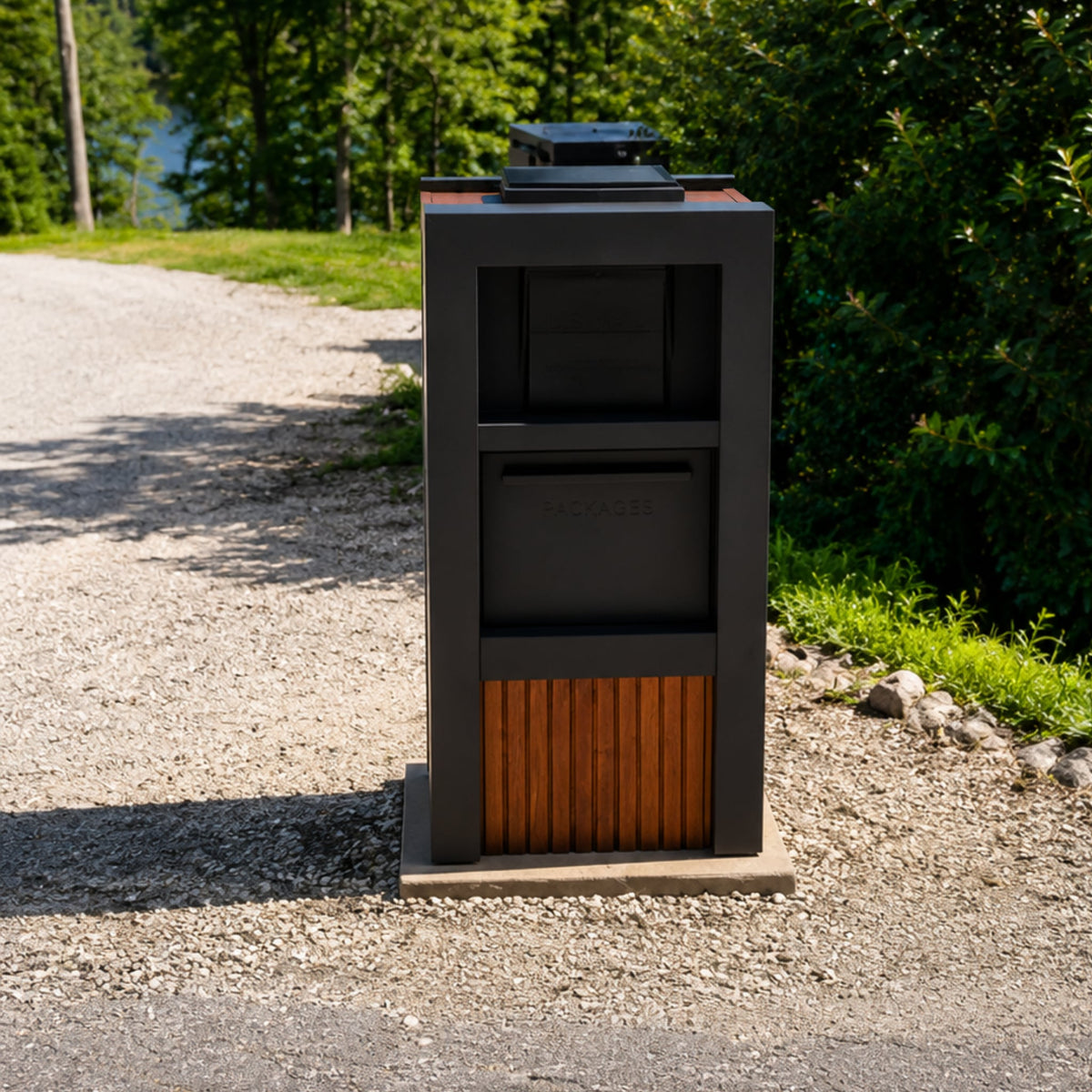
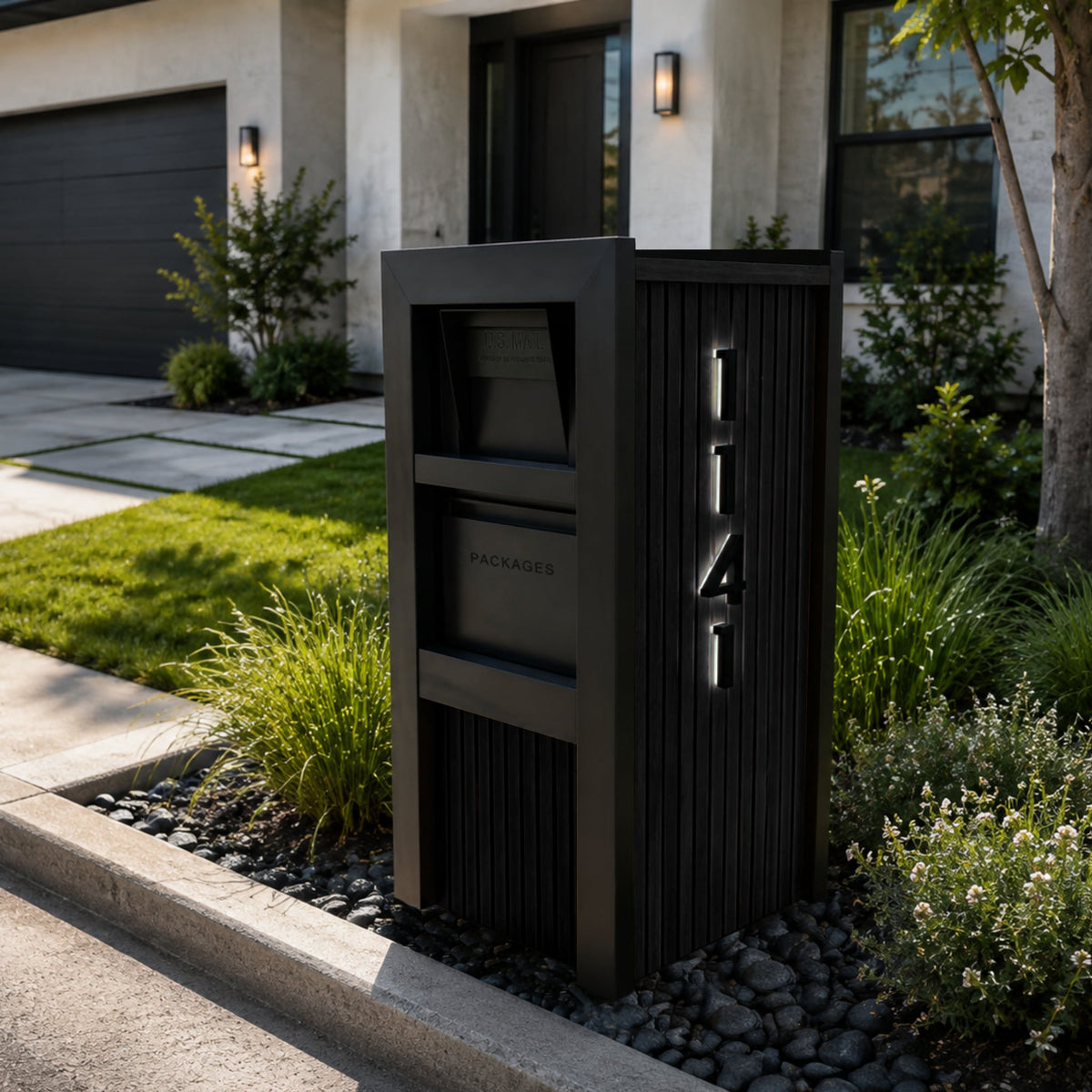
One waits at the curb with a lock and nothing to plug in. The other runs on an app, a battery, and a courier's willingness to use it. The gap matters more than the marketing suggests.
Dream Mailboxes Team6 min readUpdated August 2026
A package vault does one job and does it whether or not the Wi-Fi is up.
The short answer
For most homes, a passive package vault is the better buy. Any courier drops a parcel through the one-way slot and it's locked inside, no app, no battery, no subscription, and no compatibility list to check. A "smart" electronic locker adds phone notifications, but it also adds power, software, and a courier who has to cooperate with all of it. Dream Mailboxes builds the VaultBox to just work for USPS, UPS, FedEx, and Amazon alike. Reach out if you want help sizing one.
Both products are trying to solve the same problem: a parcel left on your step is a parcel anyone can walk off with. Where they split is on how they secure it. One is a mechanical drop box, a lockable steel or aluminum vault a driver posts a package into and can't pull back out. The other is a connected device with a keypad, a battery or a wired feed, and an app that pings you when something lands. The connected version sounds like the upgrade. In daily use, the extra parts are mostly extra ways for the handoff to fail.
What each one actually is
A package vault is passive hardware. A courier opens a hinged drop, sets the parcel inside, and closes it; a one-way baffle or anti-theft catch means nothing can be reached back out. You retrieve your parcels with a key or a code. There is no account to set up, nothing to charge, and no firmware to update. It works the same on a good network day and during a neighborhood power cut.
A smart parcel locker is a connected appliance. It runs on a battery or a low-voltage line, talks to your phone over Wi-Fi or cellular, and usually opens with a one-time code the courier is supposed to enter. When everything is charged, paired, and the driver follows the prompt, it works well and you get a notification. Those are three conditions, and each is a place the delivery can stall.
Courier compatibility is the quiet dealbreaker
This is the part smart-locker marketing tends to gloss over. A drop-in vault is courier-agnostic by design. There's nothing to scan and no code to key in, so a USPS carrier, a UPS driver, a FedEx contractor, and an Amazon driver all treat it the same way: open, drop, close. Nobody needs to know how your box works.
A smart locker asks the driver to do something extra, enter a code, scan a barcode, or trigger a release, and whether that happens depends on the carrier, the individual driver, and the day. Some networks integrate with some lockers. Many don't, or do so inconsistently. When the system and the driver don't line up, you're back to a package on the step, which is the exact outcome you paid to avoid. A vault has no such gap because it asks nothing of the courier at all.
Every yearPackage theft is common enough that Security.org tracks it in a national report annually. The through-line across those reports is simple: parcels left in the open get taken, and a locked drop is the practical fix. A vault secures every delivery the same way, no app step required.
Source: Security.org — Package Theft Annual Report
Failure points and reliability
Reliability is really a question of how many things have to go right. For a vault, one thing: the courier opens the drop. That's it. There is no battery to die in a cold snap, no Wi-Fi outage to route around, no app update that changes how the release works, and no subscription that lapses and locks you out of your own hardware.
A smart locker stacks several dependencies in series. The battery has to hold a charge or the wired feed has to stay live. The unit has to stay paired to your network. The courier has to complete the electronic step. Any one failing can leave your parcel outside or leave you unable to open the locker. More parts is more that can break, and a mechanical box simply has fewer parts to break.
"The vaults we install just work, no app, no power, no compatibility list. Every driver already knows how to open a drop and close it. That's the whole point."
— Dream Mailboxes install team
Drop in, no reach-back-out. Retrieval is a key or a code, and nothing on the box needs charging.
Security you can see
Both approaches lock a parcel away, but they lock differently. A well-built vault is heavy-gauge metal with an anti-theft drop, anchored so it can't simply be carried off, and the security is physical, so it doesn't degrade when a battery drains or software glitches. Our VaultBox uses a genuine drop design: the parcel goes in through a slot and can't be fished back out.
A smart locker's security leans partly on its electronics. That can be excellent, and it can also be a weak point, a dead battery or a bad firmware state can leave the lock in an ambiguous condition. Mechanical security has one advantage that's easy to underrate: it fails safe. A vault that loses power is still a locked steel box.
Cost over time
Sticker price is only the start. A vault is a one-time purchase with essentially no running cost, no subscription, no batteries to replace, no connectivity plan. A smart locker often carries an ongoing cost somewhere, a service tier for notifications, batteries or power draw, and eventual obsolescence when the app or the cellular radio ages out. Over the years you own it, the passive box tends to cost less and ask less of you.
Best for mostPackage Vault
Smart Parcel Locker
Courier compatibility
Works for every carrier; drop-in, nothing to scan
Depends on carrier and driver following an extra step
Power & app
None needed; fully passive
Battery or wiring plus an app to pair and manage
Reliability
One thing to go right: the drop opens
Several dependencies in series; more to fail
Security
Physical; fails safe as a locked metal box
Partly electronic; can be ambiguous if it loses power
Notifications
None built in; pair with USPS Informed Delivery
Phone alert when a parcel lands (its main advantage)
Ongoing cost
One-time buy; no subscription or batteries
Possible service tier, batteries, obsolescence
Retrieval
Key or code; works in a power cut
Code or app; can lock you out if it's offline
What a smart locker does add
To be fair to the category, the smart locker isn't pointless. Its one real advantage is the notification, that little confirmation your package arrived, which some people genuinely value. But you don't need the locker to get that. USPS Informed Delivery previews incoming mail and packages for free, and most carriers already text or email their own delivery alerts. You can pair a passive vault with those alerts and get the knowing-it-arrived benefit without taking on the battery, the app, and the compatibility risk. That's usually the smarter stack.
How to choose
Start with what you actually need the box to do. If the job is "secure whatever any courier drops, reliably, for years," a vault is the straightforward answer. If you're set on in-app control and don't mind maintaining a connected device, a smart locker can fit, just go in knowing the courier-compatibility caveat is real.
You want it to just work: get a package vault. No app, no power, no list of supported carriers to worry about.
You get a lot of large parcels: size up to the large VaultBox so nothing gets left because it didn't fit.
You want a delivery ping: keep the vault and turn on Informed Delivery plus your carriers' own alerts, no locker required.
You want it installed right: a vault should be anchored so it can't be carried off, which is where our professional installation earns its keep.
You mix mail and parcels: a locking letter mailbox plus a vault covers both without a second gadget to charge.
Our honest recommendation is the simple one: for the large majority of homes, a well-built passive vault beats a smart locker because it removes failure points instead of adding them. It's USA-made, hand-built, and it treats every courier the same. If you'd rather talk through sizing or placement before you buy, tell us about your deliveries and we'll point you to the right box.
Common questions
Does a package vault work with USPS, UPS, FedEx, and Amazon?
Yes, all of them. A package vault is a passive drop, so any courier opens it, sets the parcel inside, and closes it. There's no code to enter and nothing to scan, which is exactly why compatibility is never a question the way it can be with a smart locker.
Do I need Wi-Fi or a battery for a package vault?
No. A vault is fully mechanical. There's no battery to charge, no network to connect, and no app to manage. It secures a delivery the same way during a power cut as it does on any other day, which is a large part of why we recommend it over an electronic locker.
How do I know a package arrived if the vault has no app?
Use the free alerts you already have access to. USPS Informed Delivery previews incoming mail and packages, and most carriers send their own text or email confirmations. Pairing those with a passive vault gives you the notification without the battery and app a smart locker requires.
Is a smart locker ever the better choice?
It can be if in-app control is a priority for you and you don't mind maintaining a connected device. Its real edge is the built-in notification. The trade-off is added failure points, power, software, and courier steps, so go in aware that compatibility depends on the carrier and driver.
How is the VaultBox kept from being stolen itself?
It's heavy-gauge metal and meant to be anchored in place so it can't simply be carried off, and the drop design means parcels can't be fished back out. Our professional installation sets it securely, and the large VaultBox handles oversized deliveries.


 Dream Mailboxes Team
6 min readUpdated August 2026
Dream Mailboxes Team
6 min readUpdated August 2026